One place for team and customer communication in Jira
Work happens in Jira. Now your team and customer conversations can too. Chat for Jira helps teams and agents stay in sync with real-time chat inside issues, projects, and service requests.
Need quick feedback from a developer? A fast answer for a customer waiting on support?
Do it right in Jira.
Chat connects teams, agents, and customers in real time — inside issues, projects, and service requests. No tool switching. No delays.
Faster replies = faster resolutions. That’s how modern teams and support desks work. 👇
KEY FUNCTIONALITIES #1
💬 Live Chat for Agents — Faster Support in Jira
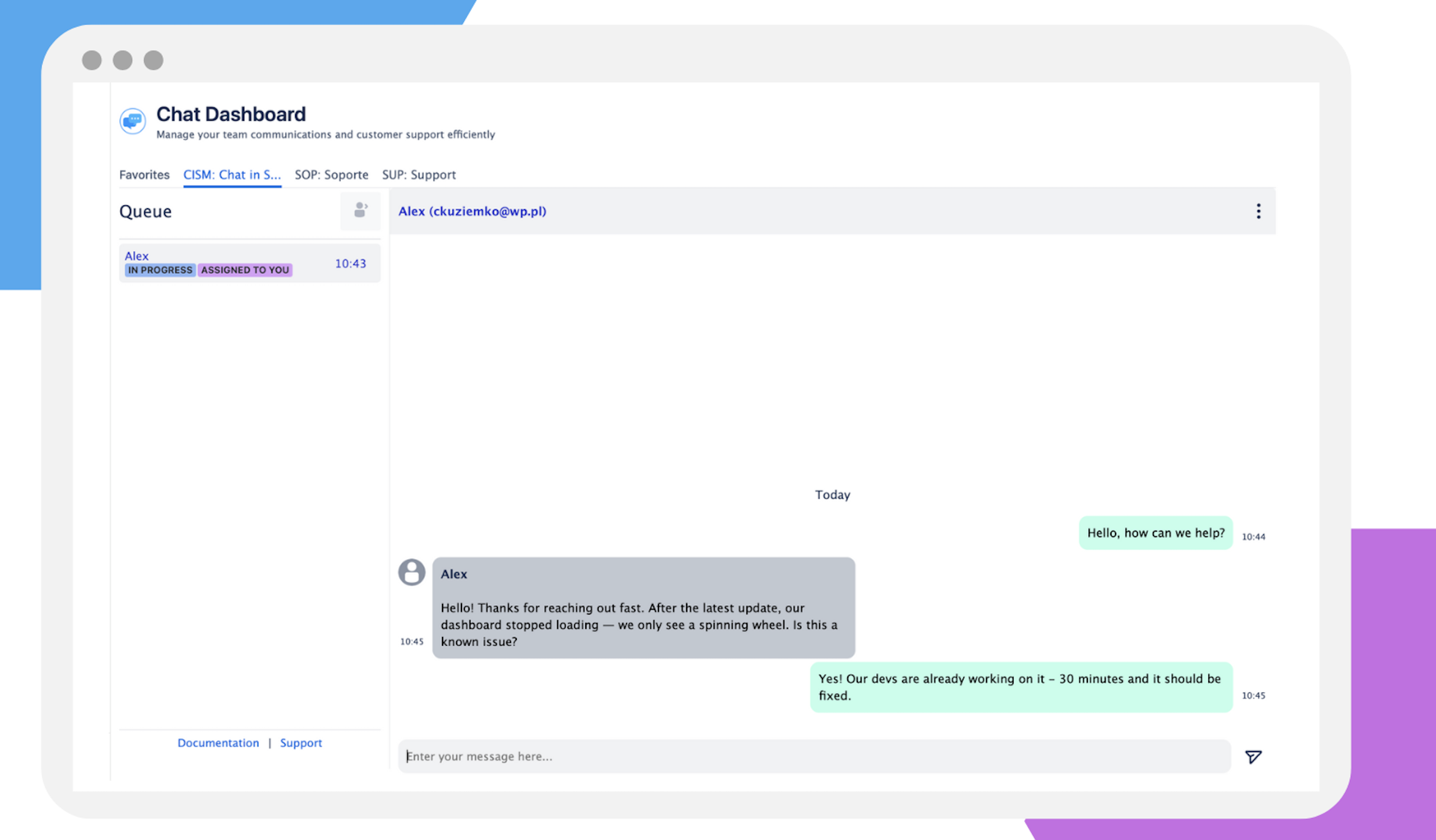
Forget slow email threads and status updates. Chat for Jira brings real-time conversations between agents and customers directly into Jira Service Management.
Chat live with customers inside service requests
Control agent availability across time zones
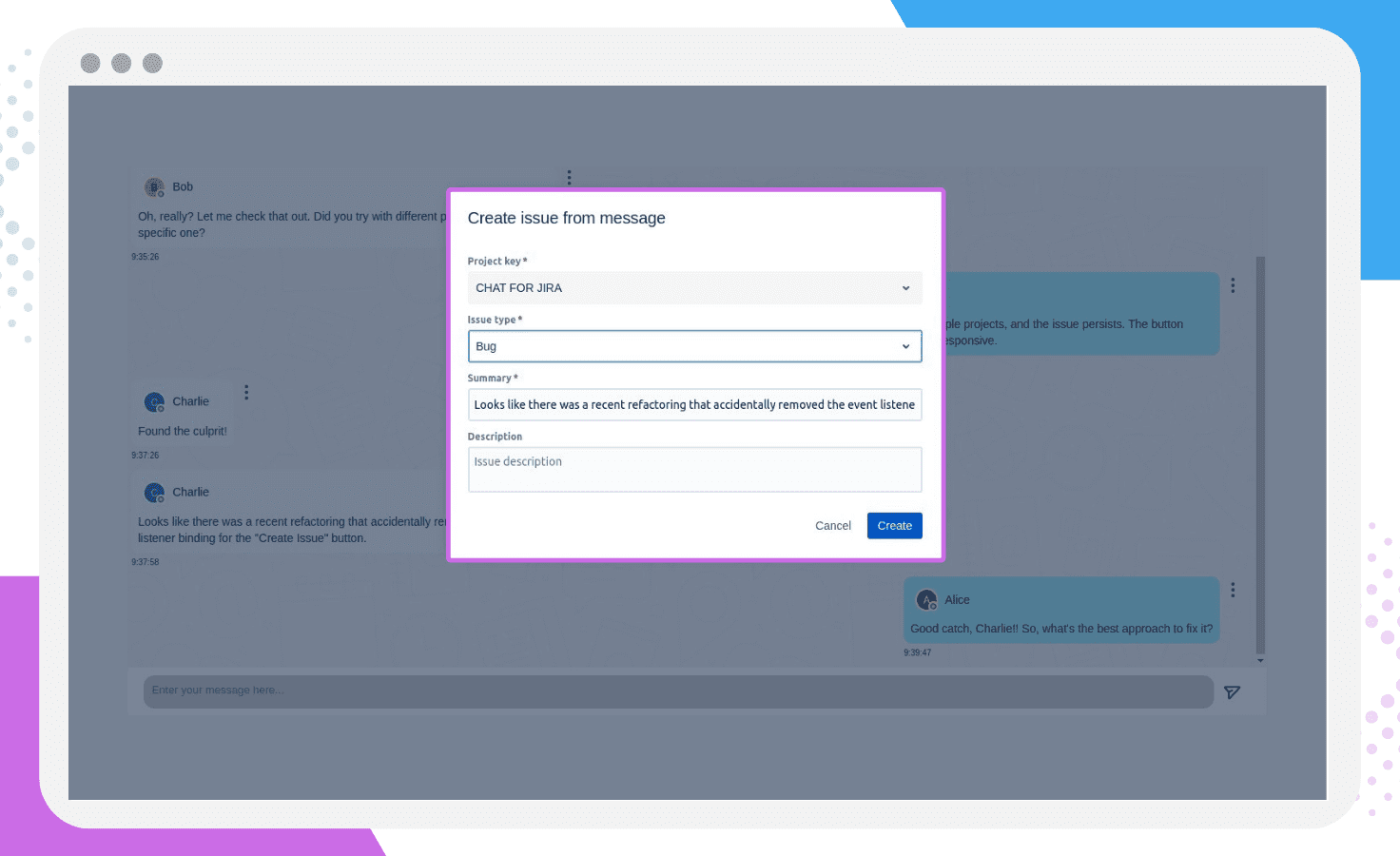
Create tickets from chat in one click
Track conversations and key metrics to reduce resolution time and improve CSAT
Perfect for support teams that want fast, human responses — without leaving Jira.
Key functionalities #2
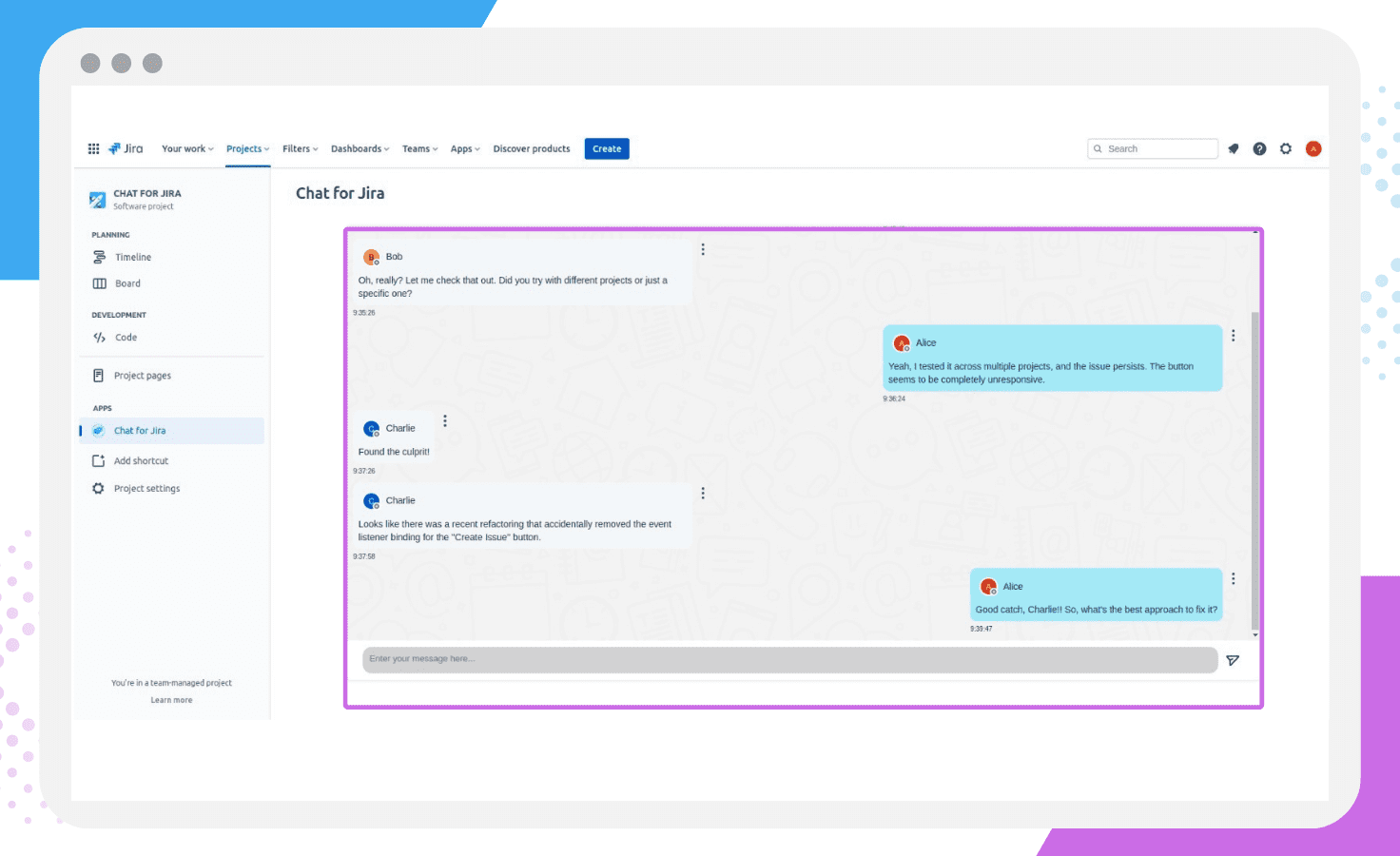
💬 Yes, You Can Chat Inside Jira
Forget switching to Slack or Teams just to talk about tasks. Chat for Jira lets you send real-time messages right inside Jira:
Talk inside any issue
Coordinate across projects
Ping any user in Jira
It’s perfect for enterprises and cross-functional teams who need clean, organized communication without leaving Jira. Plus, you get timestamps, notifications, and full control over permissions.
KEY FUNCTIONALITIES #3
⚡Turn Conversations Into Tasks in Seconds
Ideas shouldn’t get lost in the chat. Just click, create, and keep moving. It’s the fastest way to turn feedback, requests, or bug reports into real, trackable work.
Perfect for:
Turning casual discussions into actionable tasks
Making sure nothing important slips through
Keeping your workflow clean and efficient — all inside Jira
Key functionalities #4
🔐 Full Control Over Who Can Chat and Where
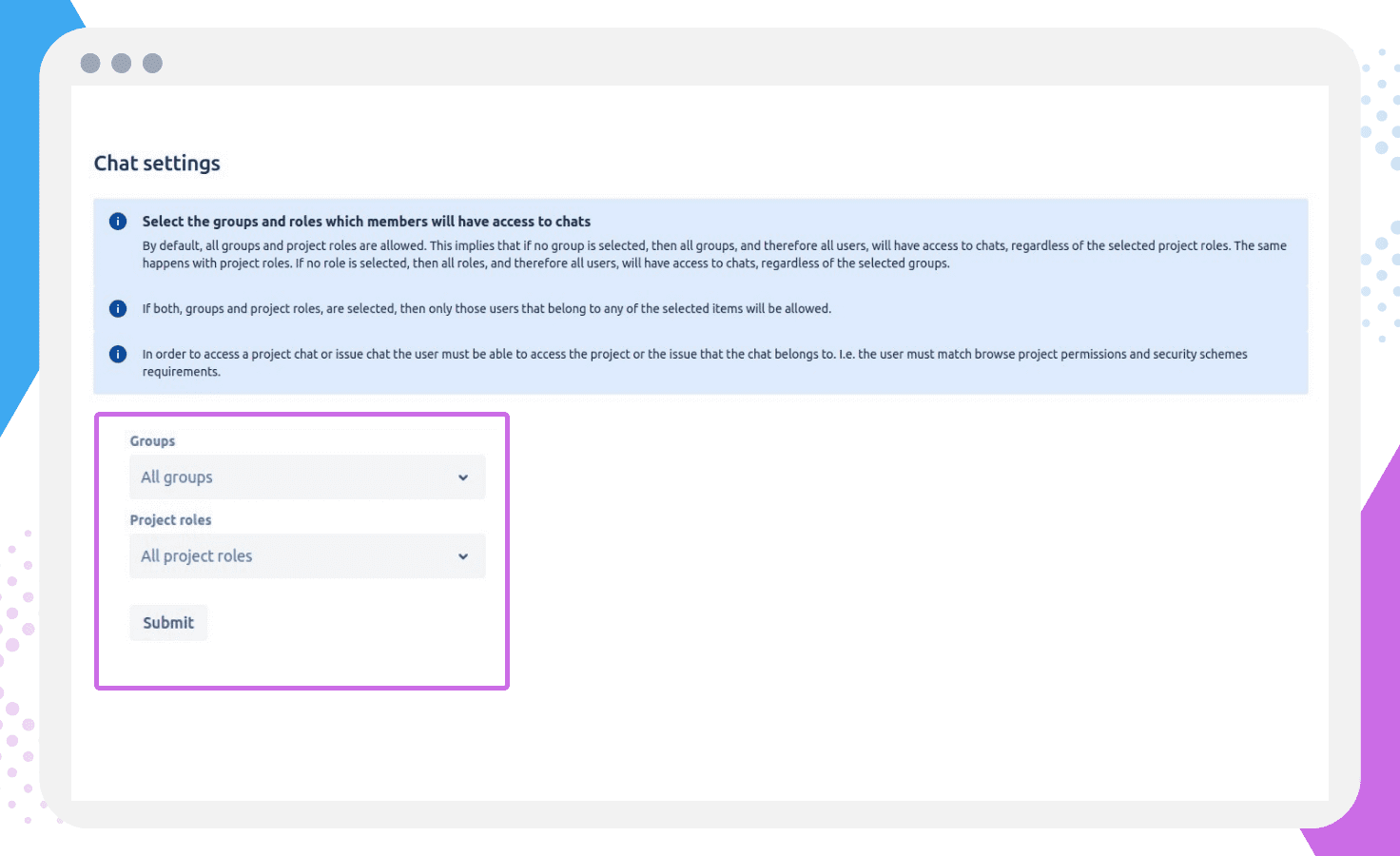
Not every conversation should be open to everyone — and that’s okay. As a Jira admin, you decide who can chat in each project or issue.
Give access to the right people — by group or individual — and keep team communication clean, focused, and secure. No noise. No confusion. Just the right people in the right conversations.
Perfect for:
Managing cross-team collaboration
Protecting sensitive discussions
Keeping projects organized and on track
Chat For Jira
Real Benefits for Jira Teams
Resolve incident faster
Live chat with customers to resolve their problems faster. Without waiting for their responses under the ticket.
Team Messaging Inside Jira
Collaborate in real time directly in Jira, no Slack needed.
🔁 Faster Task Resolution
Improve team communication in Jira and speed up workflows.
No More Messy Comments
Use issue chat in Jira to keep task threads clean.
Real-Time Team Updates in Jira
Custom notifications and timestamps keep everyone aligned.
Full Control for Admins
Custom chat permissions in Jira for secure teamwork.
Help Your Team Get More Done
Try Chat for Jira free for 1 month and make teamwork inside Jira effortless.
Install it now for free and watch your project reports soar.